Welcome To DWT Listing Theme
-
All Locations :

Welcome To DWT Listing Theme
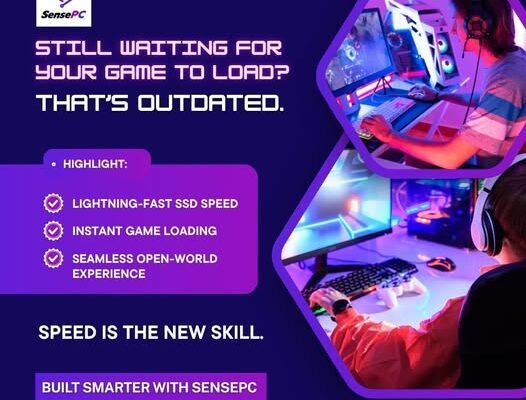
Building a powerful gaming PC can be expensive, especially when you need a modern GPU, fast processor, plenty of RAM, and enough storage for today’s large game libraries. A cloud gaming PC rental offers an alternative by giving gamers access to powerful remote hardware without requiring them to purchase and maintain a physical gaming computer.
With a rented cloud PC, games run on remote infrastructure and are streamed to a compatible device. This model can be useful for gamers who want flexibility, travelers who don’t want to carry a gaming desktop, and users whose existing computers cannot handle demanding games.
A cloud gaming PC rental is a remote computer that users access through the internet for gaming and other demanding workloads.
Instead of purchasing a physical gaming PC, you rent access to a cloud machine equipped with resources such as:
Once connected, the remote PC can provide a desktop experience similar to using a physical gaming computer.
Cloud gaming moves the demanding processing from your local device to a remote computer.
When you launch a game, the cloud PC handles the CPU and GPU workload. The resulting gameplay is streamed to your device, while your controller, keyboard, and mouse inputs are sent back to the remote machine.
The experience depends on two major factors:
Cloud hardware: The remote computer needs sufficient GPU, CPU, RAM, and storage.
Network performance: Your internet connection needs stable bandwidth and low latency.
A powerful cloud gaming PC combined with a reliable connection can provide a responsive gaming experience.
There are several reasons to choose rental computing instead of buying gaming hardware.
A high-end gaming desktop can require a significant initial purchase. Renting a cloud PC allows you to access powerful hardware without buying every component.
With a physical gaming PC, upgrading the GPU or CPU requires purchasing and installing new hardware. Cloud PC users can potentially select a different configuration when they need more performance.
A cloud gaming PC can make your gaming environment accessible from supported laptops, desktops, and other compatible devices.
The provider manages the physical server infrastructure, reducing the need for users to maintain hardware.
A powerful cloud PC can also be useful for video editing, 3D rendering, software development, AI workloads, and other demanding applications.
Many users search for a cloud PC gaming free trial because they want to test cloud gaming before committing to a subscription.
Free trials can be useful because cloud gaming performance depends on your location, internet connection, and preferred games.
A trial can help you evaluate:
However, truly unlimited free cloud gaming with powerful dedicated GPUs is uncommon. Running GPU servers, storage, bandwidth, and data centers has significant costs.
When you see a free trial, check its duration, hardware restrictions, usage limits, and cancellation terms.
Not every cloud gaming service provides the same hardware or experience.
The GPU is one of the most important components for gaming. Check the GPU configuration and make sure it can handle the games and resolution you want.
A capable CPU and sufficient RAM can improve gaming, multitasking, streaming, and other workloads.
Modern games can require substantial disk space. Look for enough SSD storage for your game library and applications.
Low latency is particularly important for fast-paced and competitive games. A nearby data center can help reduce network delay.
A full Windows cloud desktop can offer greater flexibility for installing games, launchers, mods, and other applications.
Compare monthly costs, hourly options, usage limits, storage allowances, and hardware configurations rather than looking at the advertised price alone.
The term xtreme cloud gaming generally refers to cloud gaming setups designed for demanding performance.
If you’re looking for an extreme-performance cloud gaming experience, focus on actual specifications rather than marketing terminology.
Consider:
A powerful GPU is important, but a high-quality network connection is equally important for a smooth cloud gaming experience.
Both options have advantages.
| Feature | Cloud Gaming PC Rental | Physical Gaming PC |
|---|---|---|
| Upfront cost | Lower | Higher |
| Hardware ownership | No | Yes |
| Maintenance | Provider-managed | User-managed |
| Portability | High | Low |
| GPU upgrades | Configuration-based | Physical replacement |
| Internet dependency | High | Low |
| Physical space | Minimal | Required |
A physical gaming PC is still a great choice for users who prefer local performance and complete hardware ownership.
Cloud rental can be more attractive for users who value flexibility and don’t want to maintain expensive hardware.
Gamers searching for a Shadow PC alternative often want to compare cloud desktop providers based on price, performance, availability, and flexibility.
When comparing alternatives, consider:
A complete virtual PC can be especially useful if you want to install your own games and applications rather than being limited to a predefined selection.
SensePC provides cloud computing environments designed for gaming and other demanding workloads.
For gamers, a SensePC cloud environment can provide access to remote computing resources without requiring a high-end physical gaming computer.
The same cloud PC can also potentially support other workloads, including:
This makes SensePC relevant to users who want a flexible cloud computer that can serve multiple purposes.
Cloud gaming PC rental can be useful for:
Users with laptops that lack powerful GPUs can access more capable remote hardware.
Students may prefer renting computing power rather than investing in an expensive gaming desktop.
A cloud PC can provide access to a gaming environment without carrying a large computer.
A remote Windows environment can provide access to supported PC games and applications.
A GPU-equipped cloud computer can support both gaming and professional workloads.
To get the most from your cloud gaming PC rental:
For competitive games, network responsiveness is particularly important.
Cloud computing is changing how people access high-performance hardware. Instead of purchasing a new gaming computer every few years, users can rent computing resources when they need them.
The same infrastructure can support gaming, AI, development, creative applications, and professional workloads.
As cloud GPUs and internet infrastructure improve, renting a gaming PC in the cloud is likely to become increasingly practical.
A cloud gaming PC rental provides gamers with a flexible way to access powerful hardware without purchasing and maintaining a physical gaming computer. A cloud PC gaming free trial can also be a useful way to test latency, graphics quality, and overall performance before choosing a paid plan.
For users interested in xtreme cloud gaming, focus on GPU performance, CPU resources, storage, latency, and server location rather than marketing claims.
If you’re researching a Shadow PC alternative, SensePC is another cloud computing option worth evaluating for gaming and other demanding workloads.
With the right hardware and network connection, cloud gaming can provide a convenient alternative to traditional PC ownership while giving users access to powerful computing from compatible devices.
It is a remote gaming computer that users rent and access through the internet instead of purchasing physical gaming hardware.
Some providers offer free trials or promotional access. A trial can help you evaluate performance and network latency before purchasing a plan.
Focus on GPU performance, CPU, RAM, storage, latency, server location, pricing, operating system access, and usage limits.
Xtreme cloud gaming generally describes cloud gaming services or configurations aimed at demanding performance. Always check the actual hardware specifications.
SensePC is a cloud computing option that users can evaluate when comparing alternatives for gaming and other resource-intensive workloads.

